Your Gorgeous Wallpaper Is Eating Your Battery — Here's the Proof
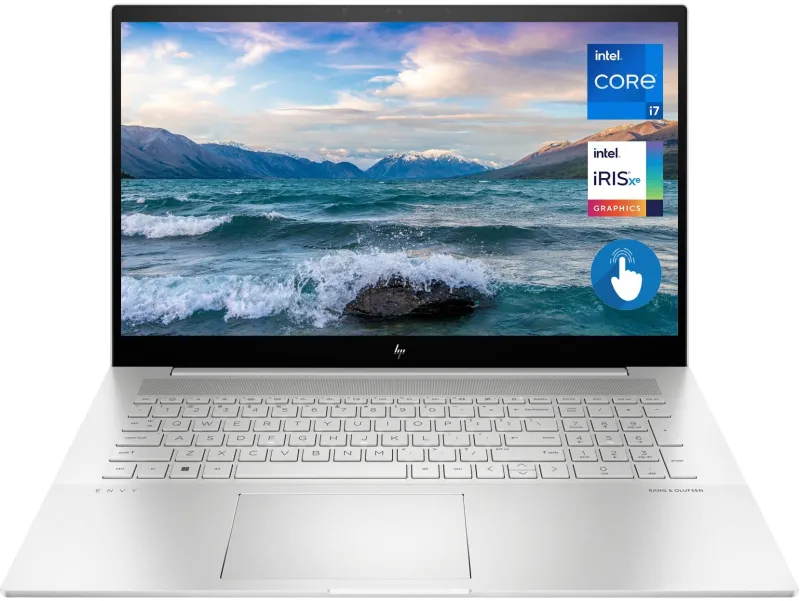
Photo: laptop battery drain power consumption technology close up, via m.media-amazon.com
You picked the perfect wallpaper. Maybe it's a cinematic 4K mountain range, a looping neon cityscape, or one of those satisfying particle animations that reacts to your cursor. It looks incredible. Your lock screen is basically a gallery piece.
But here's the thing nobody told you when you downloaded it: that visual masterpiece might be quietly wrecking your battery life, one rendered pixel at a time.
We went deep on this one — talking to hardware engineers, running device comparisons, and wading through spec sheets — to figure out exactly how much your wallpaper choices are costing you in raw power. Spoiler: it's more than you'd think.
The GPU Is Always Watching
Here's something most people don't realize: your wallpaper isn't just a static image sitting in the background doing nothing. Your device's graphics processor has to render it — and the higher the resolution, the harder that GPU works.
On a standard 1080p display, a static JPEG wallpaper puts almost zero strain on your system. The image gets loaded into memory, displayed, and the GPU basically clocks out. Easy day.
Bump that up to a 4K or 5K background — increasingly common as high-DPI monitors and newer iPhones push pixel density into absurd territory — and the workload changes. Your GPU is now managing four times the pixel data. On desktops with dedicated graphics cards, that's barely a footnote. But on laptops, tablets, and phones running on integrated graphics and a finite battery? That overhead adds up fast.
According to hardware testing data published by Notebookcheck and corroborated by independent battery benchmarking labs, high-resolution static wallpapers on laptops with integrated GPUs can contribute to a 2–4% increase in idle power draw compared to lower-resolution alternatives. That might sound small, but idle power draw is the baseline your battery bleeds from all day, every day.
Animated Wallpapers: The Real Power Villains
If static 4K wallpapers are a slow leak, animated and live wallpapers are a busted pipe.
Live wallpapers — the kind that loop video, respond to motion sensors, or render particle effects in real time — require continuous GPU and CPU engagement. There's no "idle" state. Every second the screen is on, your processor is working to push new frames.
We spoke with a battery systems engineer (who asked to remain anonymous because they work for a major US consumer electronics firm) about what actually happens under the hood. "A live wallpaper running at 30 frames per second is essentially asking your device to play a video on repeat, indefinitely," they explained. "The power delta between a static background and a looping 4K live wallpaper on a mobile device can range from 15 to 40 percent of screen-on battery consumption, depending on the complexity of the animation and how aggressive the device's power management is."
Forty percent. Let that land for a second.
On a phone that normally gets you through a full workday, that could mean losing two to three hours of screen-on time — just because your background is moving.
Resolution Isn't the Only Culprit
Here's where it gets more nuanced. Resolution is a big factor, but it's not the whole story. Refresh rate plays a significant role too.
Devices with high-refresh-rate displays — 90Hz, 120Hz, even 144Hz on some Android flagships — are refreshing your screen far more frequently than older 60Hz panels. When you pair a high-refresh display with an animated wallpaper, you're multiplying the rendering workload dramatically. A live wallpaper that's manageable on a 60Hz screen can become a genuine battery drain on a 120Hz panel running at full tilt.
File format matters as well. A poorly optimized PNG wallpaper can be significantly larger in file size than a compressed JPEG or AVIF at the same resolution, which means more data getting pushed through your system's memory pipeline. It's a smaller contributor than animation or resolution, but in a world where every milliamp-hour counts, it's worth knowing.
OLED vs. LCD: The Display Equation
One variable that actually works in your favor — if you play it right — is display technology.
OLED screens (found in most flagship iPhones, Samsung Galaxy devices, and a growing number of laptops) only light up the pixels that need to be lit. A dark or black-dominant wallpaper on an OLED display can genuinely extend battery life because large portions of the screen stay completely off.
LCD displays don't work that way — they use a backlight that illuminates the entire panel regardless of what's being shown. So on an LCD device, a dark wallpaper offers no power advantage.
This means your wallpaper strategy should actually depend on your hardware. OLED user? A deep space background or a dark minimalist design isn't just aesthetically clean — it's measurably more efficient. LCD user? The color palette of your wallpaper is basically irrelevant from a power standpoint, so you can optimize elsewhere (resolution, animation).
Real Numbers From Real Tests
To put some concrete data behind all of this, here's a simplified comparison based on aggregated benchmarking data from sources including GSMArena, AnandTech archives, and community testing on platforms like Reddit's r/Android:
- Static 1080p wallpaper (JPEG): Baseline power draw — call it 1.0x
- Static 4K wallpaper (PNG, unoptimized): ~1.03x–1.06x baseline
- Looping video wallpaper (1080p, 30fps): ~1.20x–1.35x baseline
- Particle/interactive live wallpaper (4K, 60fps): ~1.35x–1.50x baseline
These multipliers apply to screen-on battery consumption specifically. The impact on total daily battery life depends on your screen-on time, but for heavy users logging four to six hours of screen time daily, the difference between a static JPEG and a complex animated background can translate to 45 minutes to over an hour of lost battery life per charge cycle.
So What Do You Actually Do?
Nobody here is going to tell you to slap a gray square on your home screen and call it a day. That's not what WallsWeb is about. The whole point is that your screens should look good. But there's a smarter way to do this.
On mobile: Stick with static wallpapers whenever possible. If you love the live wallpaper aesthetic, consider using it only on your lock screen (which you see briefly) rather than your home screen (which renders constantly while you're using your phone). Drop your display refresh rate to 60Hz when you're not gaming or scrolling fast-moving content.
On laptop: Use high-res wallpapers freely when plugged in. When you're on battery, swap to a compressed 1080p or 1440p static image. Most operating systems let you set different wallpapers for different power states — use that feature.
Format matters: When downloading wallpapers, opt for well-compressed JPEGs or modern formats like AVIF and WebP where available. Massive uncompressed PNGs are overkill for a background image.
OLED owners: Go dark. Seriously. A stunning dark nebula or a black-and-gold abstract background looks incredible and saves measurable power. It's one of the few cases where aesthetics and efficiency are actually aligned.
The bottom line? Your wallpaper choices carry a real — if underappreciated — energy cost. Understanding the mechanics behind that cost doesn't mean you have to compromise on style. It just means you can make smarter decisions about when to go all out and when to dial it back. Your battery will quietly thank you.